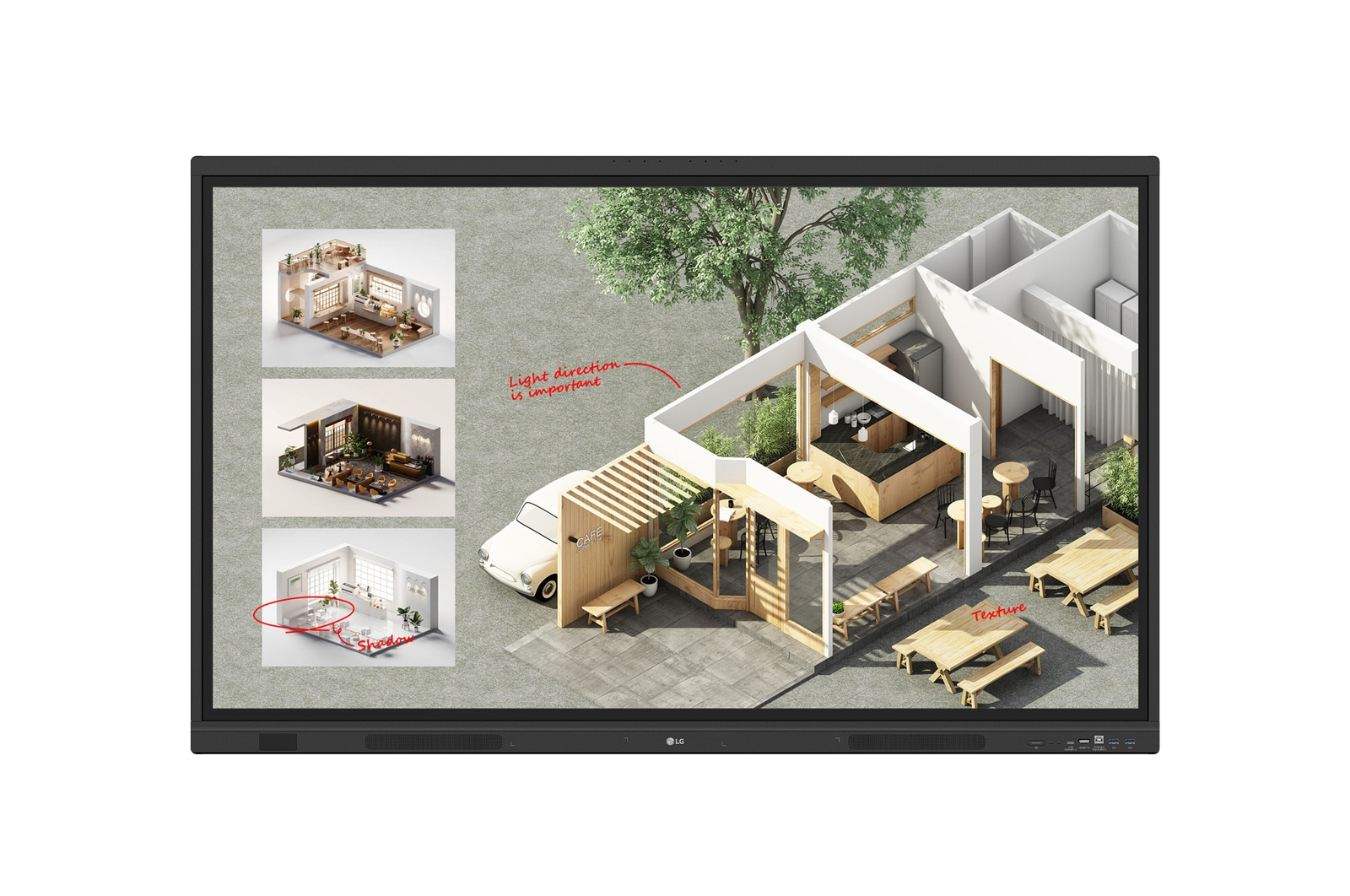
LG CreateBoard Standard interactive whiteboard 139.7 cm (55") 3840 x 2160 pixels Touchscreen Black
Brand LG
From
£982.30
Free delivery
You save £32.24 (3%)
3 offers at 3 retailers
Listed since 4 June 2026
Compare prices



Affiliate link
Description
Specifications
| Display diagonal | 139.7 cm (55") |
| Display brightness | 400 cd/m² |
| Display number of colours | 1.07 billion colours |
| Display resolution | 3840 x 2160 pixels |
| Anti-glare screen | Yes |
| HD type | 4K Ultra HD |
| Panel type | VA |
| LED backlight | Yes |
| LED backlighting type | Direct-LED |
| Native aspect ratio | 16:9 |
| Contrast ratio (typical) | 5000:1 |
| Contrast ratio (dynamic) | 5000:1 |
| Response time | 6.5 ms |
| Maximum refresh rate | 60 Hz |
| Touchscreen | Yes |
| Touch technology | Multi-touch |
| Number of simultaneous touchpoints | 50 |
| Touch system response time | 5 ms |
| Touch object size (min) | 2 mm |
| Viewing angle, horizontal | 178° |
| Viewing angle, vertical | 178° |
| Colour gamut | 72% |
| Screen glass thickness | 3.2 mm |
| Handles quantity | 1 |
| Operating system installed | Android |
| Operating system version | 14 |
| Built-in processor | Yes |
| Processor architecture | ARM Cortex A73 + ARM Cortex A53 |
| Maximum internal memory | 64 GB |
| RAM capacity | 8 GB |
| Graphics card family | ARM |
| Graphics card | Mali-G52 MP8 |
| Built-in projector | No |
| Wi-Fi | Yes |
| Top Wi-Fi standard | Wi-Fi 6E (802.11ax) |
| Bluetooth | Yes |
| Bluetooth version | 5.3 |
| Wake-on-LAN ready | Yes |
| USB 3.2 Gen 1 (3.1 Gen 1) Type-A ports quantity | 5 |
| USB 2.0 ports quantity | 1 |
| USB connector type | Micro-USB A, USB Type-C |
| HDMI ports quantity | 3 |
| USB Type-C ports quantity | 2 |
| HDMI output ports quantity | 1 |
| RGB ports quantity | 1 |
| DisplayPorts quantity | 1 |
| Ethernet LAN (RJ-45) ports | 1 |
| Line-in | Yes |
| OPS slot | 1 |
| Product colour | Black |
| VESA mounting | Yes |
| Panel mounting interface | 400 x 200 mm |
| Wall mountable | Yes |
| Mean time between failures (MTBF) | 50000 h |
| Certification | IEC 62368-1:2018; UL 62368-1:2019 |
| Ambient light sensor | Yes |
| Power consumption (max) | 290 W |
| Power consumption (typical) | 135 W |
| Power consumption (standby) | 0.5 W |
| AC input voltage | 100 - 240 V |
| AC input frequency | 50/60 Hz |
| Windows operating systems supported | Yes |
| Mac operating systems supported | Yes |
| Linux operating systems supported | Yes |
| Mobile operating systems supported | Android |
| Operating temperature (T-T) | 0 - 40 °C |
| Operating relative humidity (H-H) | 10 - 90% |
| Width | 1269.1 mm |
| Depth | 99.7 mm |
| Height | 783.4 mm |
| Weight | 26.6 kg |
| Bezel width (L/T, R/B) | 15/25.6/15/43.5 |
| Package width | 1428 mm |
| Package depth | 185 mm |
| Package height | 868 mm |
| Package weight | 31.6 kg |
| Manual | Yes |
| Cables included | HDMI, Power, USB |
| Remote control included | Yes |
| Quick start guide | Yes |
| Stylus included | Yes |
| Sustainability certificates | ENERGY STAR, EPEAT, ErP |
| Compliance certificates | Federal Communications Commission (FCC) |
Full specifications
| Marque | LG |
| Référence fabricant | 55tr3dqbaueq |
| EAN | 8806096421246 |
Why choose the LG CreateBoard Standard interactive whiteboard 139.7 cm (55") 3840 x 2160 pixels Touchscreen Black in 2026?
The LG CreateBoard Standard interactive whiteboard 139.7 cm (55") 3840 x 2160 pixels Touchscreen Black is a well-regarded reference in the Télévisions QLED & LED category. In 2026, it remains one of the most relevant choices for those seeking to balance quality and budget. The brand LG has a strong reputation among consumers, reflected in its consistent availability across many partner retailers. Thanks to our comparison tool, you can see all available offers at a glance and go directly to the retailer of your choice to complete your purchase with confidence.
Technical analysis of the LG CreateBoard Standard interactive whiteboard 139.7 cm (55") 3840 x 2160 pixels Touchscreen Black
Among the main strengths of the LG CreateBoard Standard interactive whiteboard 139.7 cm (55") 3840 x 2160 pixels Touchscreen Black, the most notable are its competitive pricing from £982.3 and the recognition of the LG brand. Buyers who have already used this type of product in the Télévisions QLED & LED category generally highlight the effectiveness of the core functions and ease of maintenance. It is a product that suits both first-time buyers and those replacing existing equipment, with a short learning curve and stable performance over time.
What the tech specs reveal
The LG CreateBoard Standard interactive whiteboard 139.7 cm (55") 3840 x 2160 pixels Touchscreen Black spec sheet details the specifications that make a difference in daily use. For a savvy buyer, this data allows objective comparison with other products in the Télévisions QLED & LED category. LG publishes precise specifications that make comparison easier and help you make an informed purchase decision. Consult the technical specifications table on this page for full details. The 65" Black 4K UHD Large Format Display 3x HDMI 24/7 from the same brand may also interest you for a direct comparison.
In practice day to day
In daily use, the LG CreateBoard Standard interactive whiteboard 139.7 cm (55") 3840 x 2160 pixels Touchscreen Black is designed to fit easily into the regular habits of Télévisions QLED & LED users. LG has optimised this model for regular use, with accessible features and simplified maintenance. Also check our OLED TVs comparison for further suggestions.
Market price ranges in 2026
| Range | Indicative price |
|---|---|
| Entry-level | Under 384300 £ |
| Mid-range | 384300 £ to 896710 £ |
| High-end | Over 896710 £ |
Before buying the LG CreateBoard Standard interactive whiteboard 139.7 cm (55") 3840 x 2160 pixels Touchscreen Black, remember to check the total price including delivery costs. On Compiral, sorting by total price lets you immediately identify the best offer among all listed retailers. Comparing return conditions and the warranty period offered by each retailer is also a good habit before finalising your order in the Télévisions QLED & LED category.
Frequently asked questions about LG CreateBoard Standard interactive whiteboard 139.7 cm (55") 3840 x 2160 pixels Touchscreen Black
Is the LG CreateBoard Standard interactive whiteboard 139.7 cm (55") 3840 x 2160 pixels Touchscreen Black in stock?
Stock availability for the LG CreateBoard Standard interactive whiteboard 139.7 cm (55") 3840 x 2160 pixels Touchscreen Black is updated in real time on Compiral. Retailers showing "In stock" can usually deliver quickly, often within 2 to 5 working days. If the product is temporarily out of stock at one retailer, check the other offers in our table. Check back regularly as stock levels change frequently in the Télévisions QLED & LED category.
Where can I buy the LG CreateBoard Standard interactive whiteboard 139.7 cm (55") 3840 x 2160 pixels Touchscreen Black at the best price?
To buy the LG CreateBoard Standard interactive whiteboard 139.7 cm (55") 3840 x 2160 pixels Touchscreen Black at the best price, compare all available offers in our table at the top of this page. The 3 offers listed include delivery costs to give you the true total cost. Sort by ascending price and filter by free delivery to quickly identify the best deal among our verified partner retailers.
How does the LG CreateBoard Standard interactive whiteboard 139.7 cm (55") 3840 x 2160 pixels Touchscreen Black compare to competitors in the Télévisions QLED & LED category?
In the Télévisions QLED & LED category, the LG CreateBoard Standard interactive whiteboard 139.7 cm (55") 3840 x 2160 pixels Touchscreen Black occupies a specific market segment. Compared to other available models, it stands out mainly through the balance between its features and its price. To compare objectively, consult the detailed spec sheet on this page and compare specifications with other similar products listed on our comparison tool.
Is the LG CreateBoard Standard interactive whiteboard 139.7 cm (55") 3840 x 2160 pixels Touchscreen Black suitable for beginners?
Yes, the LG CreateBoard Standard interactive whiteboard 139.7 cm (55") 3840 x 2160 pixels Touchscreen Black is generally appreciated by both beginners and regular users of the Télévisions QLED & LED category. It is quick to set up and LG usually provides clear documentation. If you are new to this product category, consult the spec sheet on this page to identify the key criteria to check before making your choice.
Is there a refurbished version of the LG CreateBoard Standard interactive whiteboard 139.7 cm (55") 3840 x 2160 pixels Touchscreen Black?
Refurbished versions of the LG CreateBoard Standard interactive whiteboard 139.7 cm (55") 3840 x 2160 pixels Touchscreen Black may be available from certain Compiral partner retailers. These refurbished products allow you to save between 20% and 40% compared to the new price while still benefiting from a warranty. Check availability in our offers table and review the warranty conditions offered by the retailer.
Similar products
 -5%
-5%
Soundcraft
Soundcraft 16 channels Black
From
£491.35

Hisense
Hisense 32" E5QTUK QLED FHD Smart TV with Freely
From
£494.26

Samsung
Samsung 55" Crystal UHD U8020H 4K Vision AI Smart TV (2026)
From
£494.78
 -5%
-5%
Epson
Epson Lens - ELPLM08 - Mid throw 1 - EB-PU1000 Series
From
£494.89